
Skip to content

SharePoint

Document and Content Management, Workflows and Automation

Work together securely, synchronise and share content

Important documents are scattered across different drives, versions are emailed back and forth, and nobody knows for sure which file is the current one. Valuable work time is lost – along with productivity, transparency, and security.

In today's business world, which is increasingly moving towards Mobile working As technology develops, it is becoming increasingly important for companies to find new ways of cooperating and networking. Furthermore, legal requirements are constantly increasing and the business world is more competitive than ever.

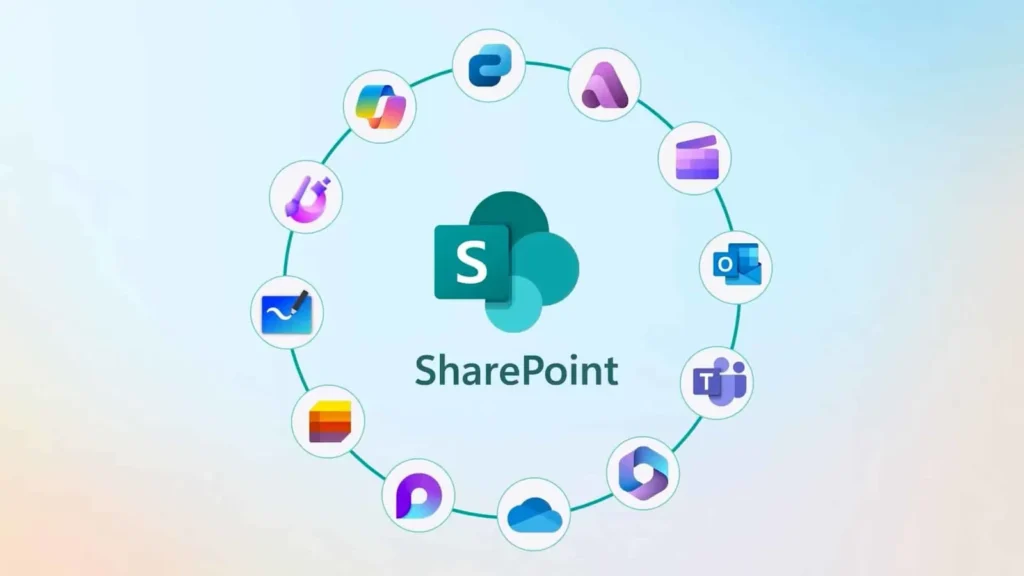
With Microsoft SharePoint, you have a tool designed for collaboration and file management. 

The tool combines document storage, collaboration, and process automation in one powerful solution that integrates seamlessly with your existing Microsoft environment. Thanks to clearly defined permission structures, you maintain control over sensitive information at all times.

Intelligent search functions enable your employees to find content in seconds, while version histories and approval workflows ensure transparency and traceability.

Furthermore, SharePoint offers the ability to digitise and automate business processes – from contract approvals to quality management documentation. The result: faster coordination, reduced error sources, and measurably more efficient workflows.

Here are the key features that make SharePoint so powerful:

SharePoint Key Features

1. Real-time collaboration

SharePoint makes collaboration location-independent and efficient. Multiple employees can work on the same documents simultaneously – from anywhere in the world. Instead of exchanging different file versions via email, changes are made centrally and synchronised in real-time. This creates transparency and reduces coordination effort.

In combination with Microsoft Teams, a powerful working environment is created: while SharePoint takes care of structured document management and organisation, Teams ensures direct communication. Discussions, coordination and joint editing are seamlessly integrated. An intranet based on SharePoint connects both worlds and creates an integrated platform for information and collaboration.

2. Flexible and adaptable

A crucial factor when choosing an intranet solution is its adaptability. SharePoint offers numerous integrated tools to individually tailor functions, interfaces, and processes to your company.

You can use standard functions or specifically expand them to increase efficiency and productivity. With a third-party solution built on SharePoint, you can also quickly implement a modern, user-friendly intranet – one that meets IT requirements and is well-received by employees.

3. More productivity in everyday work

SharePoint helps companies structure and automate processes. Information is centrally captured, organised, and made available. This facilitates data analysis, trend identification, and informed decision-making.

By integrating with Microsoft 365 and Teams, a seamless working environment is created without breaks in media. Employees find relevant information faster, collaborate more efficiently, and spend less time searching for documents. This leaves more room for value-adding tasks.

4. Enterprise-level security

With the rise of cyber-attacks and stringent regulatory requirements, security is indispensable today. SharePoint offers differentiated authorisation and access control concepts for files, folders, and websites. Access can be specifically controlled and tracked, ensuring compliance with internal policies.

As all processes run via an integrated platform, companies retain full control over their data.

5. Efficient Content Management

Content management can be complex - SharePoint makes it easier. Managers can create and manage content centrally and plan it for different channels. Ready-made templates make structuring easier, while documents can be edited and converted into different formats regardless of the device.

SharePoint offers advantages, particularly for internationally operating companies: multilingual content can be efficiently managed and published. This creates an intranet that provides information in a structured way and connects employees worldwide.

6. Seamless integration into your system landscape

SharePoint integrates seamlessly into existing IT environments. The platform can be connected to numerous business applications – including Microsoft 365 with Word, Excel and PowerPoint, as well as CRM and ERP systems and other back-office solutions.

Thanks to browser-based usage, SharePoint also works with all common modern web browsers. This creates an integrated working environment without isolated solutions or media discontinuities.

7. Central Information Platform

In many companies, data is still stored on local servers. This restricts access and makes flexible working more difficult, especially for field or remote staff.

SharePoint moves information to a central, cloud-based environment. Authorised users can access documents and data independently of location and device.

At the same time, the amount of information often increases with centralised filing. To avoid overload, structured intranet solutions help to display content in a targeted manner, emphasise relevant information and clearly control communication.

8. Efficient Document Management

Overwritten files, missing versions, long search times or even data loss due to system failures - many companies struggle with inefficient document processes.

SharePoint offers a solution here: documents are stored centrally, filed in a structured manner, and can be quickly found using metadata. The integrated version control ensures transparency by making it traceable who made which changes and when.

The result: greater clarity, fewer sources of error, and significantly simplified document management.

9. More flexibility for your intranet

Using SharePoint, a company-wide intranet can be established that promotes the exchange of information and collaboration. Pre-built features and modules support the efficient creation of communication and information pages. The goal is to network employees and strengthen internal communication in a secure environment.

At the same time, SharePoint can be functional in its standard form. Supplementary intranet solutions offer additional design freedom and enable customisation of design, structure and user guidance. The result is a platform that is both technically impressive and fits your company visually and functionally.

Systematically organising knowledge

As an experienced IT consultancy, we offer comprehensive support – from the strategic analysis of your existing document processes to technical implementation and training for your employees. Together, we will develop a solution that is not only technically impressive but also creates real added value for your company. This transforms unstructured files into an intelligent knowledge platform that sustainably supports your growth.

YOUR CONTACT PERSON

Connect with our expert.
Non-binding, uncomplicated, but always with
added value for you.

MAX GIESSLER

Managing Director of bitformer GmbH